Overview
GeForce NOW continues to refine the cloud gaming experience, and the latest update focuses on making your library smarter and more accessible. This guide walks you through two major enhancements: the new in-app labels that instantly identify games from your Xbox Game Pass or Ubisoft+ subscriptions, and the arrival of fresh content—including the chaotic roguelite Vampire Crawlers: The Turbo Wildcard and a stylish new Thor skin for Marvel Rivals.
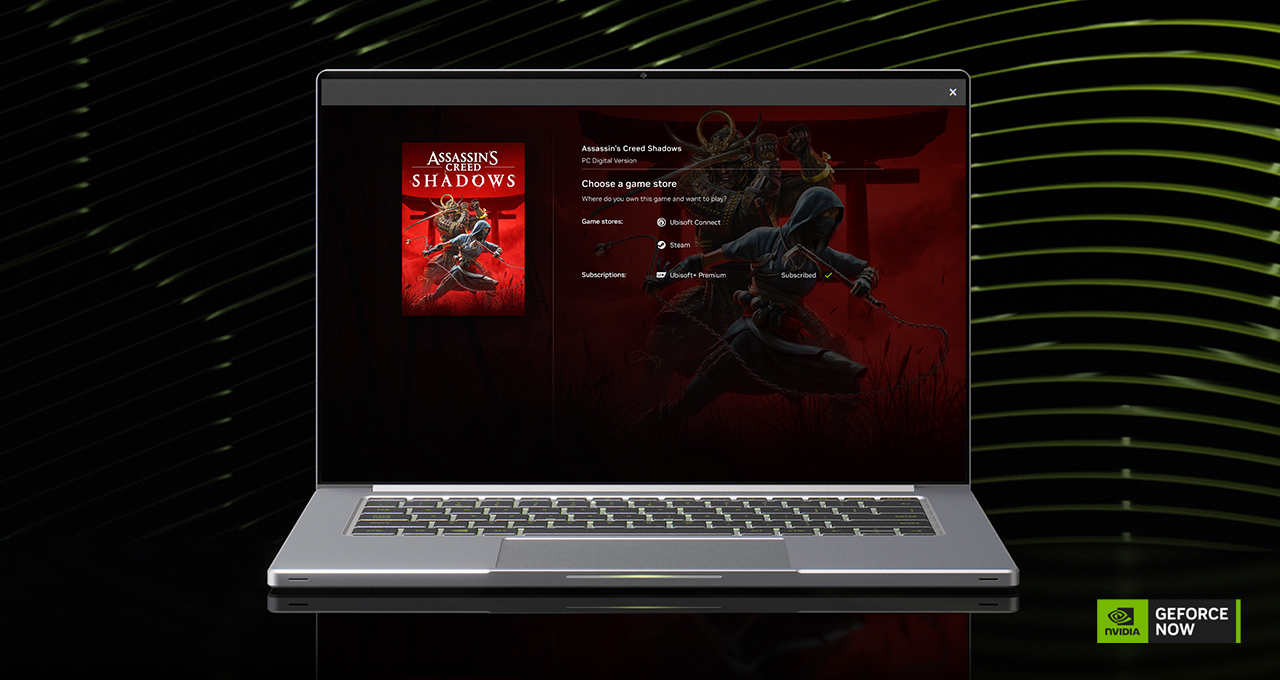
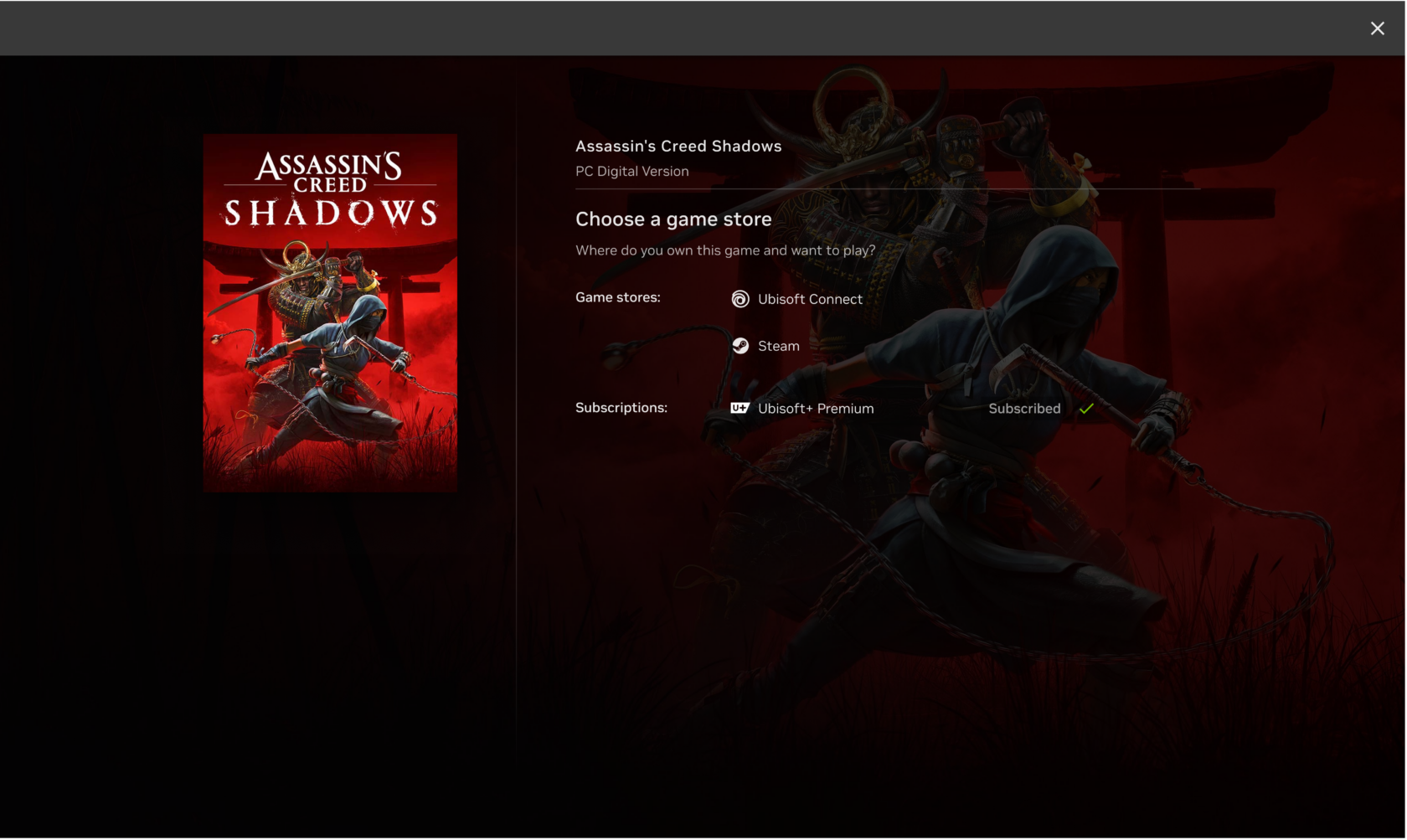
By the end of this tutorial, you’ll know exactly how to connect your subscriptions, use the labels to streamline game discovery, jump into the latest releases, and claim exclusive rewards—all while avoiding common pitfalls.
Prerequisites
Before diving in, ensure you have the following:
- GeForce NOW membership – Free, Priority, or Ultimate tier. Some features (e.g., exclusive skins) require a paid tier.
- Active subscription to Xbox Game Pass (Ultimate or PC Game Pass) or Ubisoft+.
- Supported device – PC, Mac, Android, iOS (via browser), Shield TV, or Chromebook. Check the official list.
- Stable internet connection – At least 15 Mbps for 720p, 25 Mbps for 1080p, 35 Mbps+ for 4K.
- Updated GeForce NOW app – Ensure version 2.0.61 or later (labels and new games require the latest build).
Step-by-Step Instructions
Step 1: Connect Your Subscription Accounts
The new labels only appear after you link your Xbox Game Pass or Ubisoft+ account to GeForce NOW. Here’s how:
- Open the GeForce NOW app and sign in.
- Go to Settings (gear icon) > Account.
- Under Connected Accounts, click Connect next to Xbox or Ubisoft.
- Follow the browser prompts to log in and authorize the connection. You’ll be redirected back to the app.
- Repeat for any other subscription services you have.
Once linked, the app syncs your subscription library. This process may take up to a minute. You only need to do this once—subsequent updates happen automatically.
Step 2: Use the New Subscription Labels
With accounts connected, finding streamable games becomes instantaneous:
- Browse the Library tab. Each game now shows a clear badge (e.g., “Xbox Game Pass” or “Ubisoft+”) on its tile.
- Tap a game to open its detail page. The label appears near the title, eliminating any guesswork.
- Use the Filter option (top right) to sort by subscription – for example, show only Xbox Game Pass titles.
- Click Play on a labeled game. GeForce NOW launches it directly from your connected subscription—no extra purchases needed.
These labels are live now and cover both new releases and back catalog titles. They update as your subscription changes (e.g., when games rotate out of Game Pass).
Step 3: Experience Vampire Crawlers: The Turbo Wildcard
This week’s highlight addition is a chaotic roguelite horde escape game. To play:
- Search for “Vampire Crawlers” in the GeForce NOW app or browse the New Releases carousel.
- Ensure you own the game (purchase on Steam or Epic Games Store) or have it via a supported subscription (check labels).
- Click Play. The cloud instance loads with RTX-powered performance—no local installation needed.
- During gameplay, utilize the Settings menu to adjust streaming quality (e.g., prioritise frame rate for fast-paced action).
Tip: The game shines with NVIDIA Reflex support. Enable it in the in-game options for lower latency during those frantic moments.
Step 4: Claim the Thor Midgard Umber Skin (Premium Members)
GeForce NOW Premium and Ultimate members get early access to exclusive cosmetics. Here’s how to grab the new Thor skin for Marvel Rivals:
- Launch Marvel Rivals via GeForce NOW (you’ll need the game owned on a linked platform).
- In the main menu, look for the GeForce NOW Rewards section or a pop-up notification.
- Click Claim Now. The skin is automatically added to your in-game inventory.
- Equip it in the hero customization screen before a match.
Note: This skin is available only to GeForce NOW members with a Priority or Ultimate plan. Free tier users cannot claim it. The offer may be time-limited, so act quickly.
Common Mistakes
Avoid these frequent pitfalls to ensure a smooth experience:
- Forgetting to connect subscriptions – Labels won’t appear unless accounts are linked. Double-check in Settings > Account > Connected Accounts.
- Using an unsupported membership tier – The Thor skin requires Priority/Ultimate. Free users will see the reward but cannot claim it.
- Ignoring game ownership – Subscription labels only indicate availability via that service. If a game leaves Xbox Game Pass, the label disappears. You may still purchase it separately.
- Overlooking streaming quality settings – For Vampire Crawlers, set the stream to 60 fps or higher in the GeForce NOW settings to enjoy smooth dodging.
- Assuming all subscription games are available – A few titles may be absent due to licensing restrictions. Check the GeForce NOW games list for compatibility.
Summary
GeForce NOW’s latest update brings much-needed clarity to game discovery. By linking your Xbox Game Pass or Ubisoft+ account, you’ll see clear labels that instantly tell you what you can stream—no more manual checking. Combined with the arrival of Vampire Crawlers: The Turbo Wildcard and an exclusive Thor skin for Marvel Rivals, this is a perfect time to explore your cloud gaming library. Remember to ensure your accounts are connected, use filters to narrow down choices, and claim tier-limited rewards promptly. With these steps, you’ll turn any collection into a seamless, high-performance cloud setup.
Key takeaway: The new labels transform GeForce NOW from a simple streaming service into a smart discovery hub, making it easier than ever to play the games you already love—and find new ones.